 <Tamim Likhon/>
What Is Quranly?
Quranly is an Android app that brings the Quran into everyday life through home screen widgets and an integrated audio recitation player. Its purpose is to keep the Quran visible and accessible without requiring the user to open a dedicated app every time they want to read or listen.
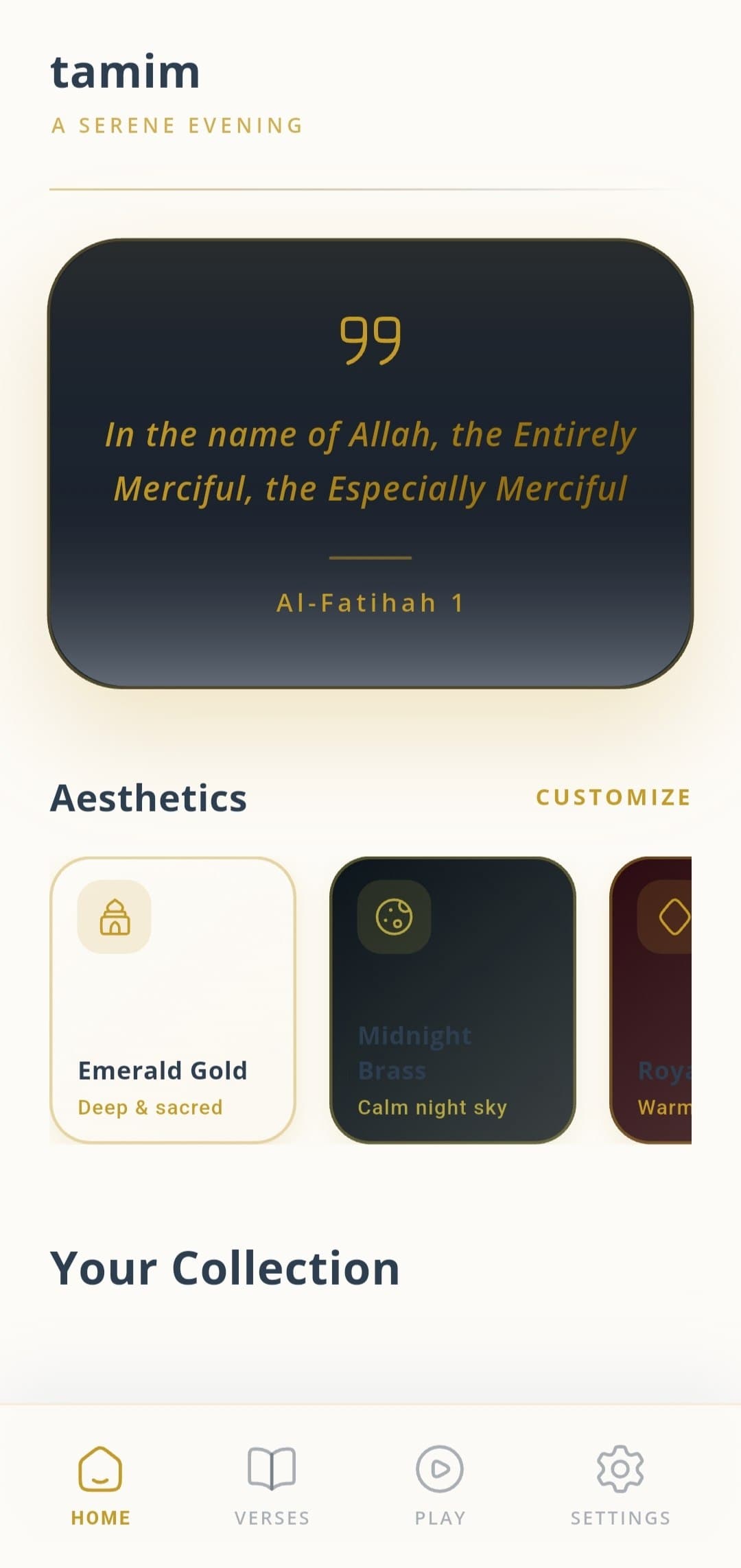
The widget layer is central to how Quranly works. Instead of a verse appearing only when the app is actively open, the widget places a verse on the home screen where it becomes a natural part of the device's daily rhythm. Users see verses when they unlock their phone, check notifications, or switch between apps.
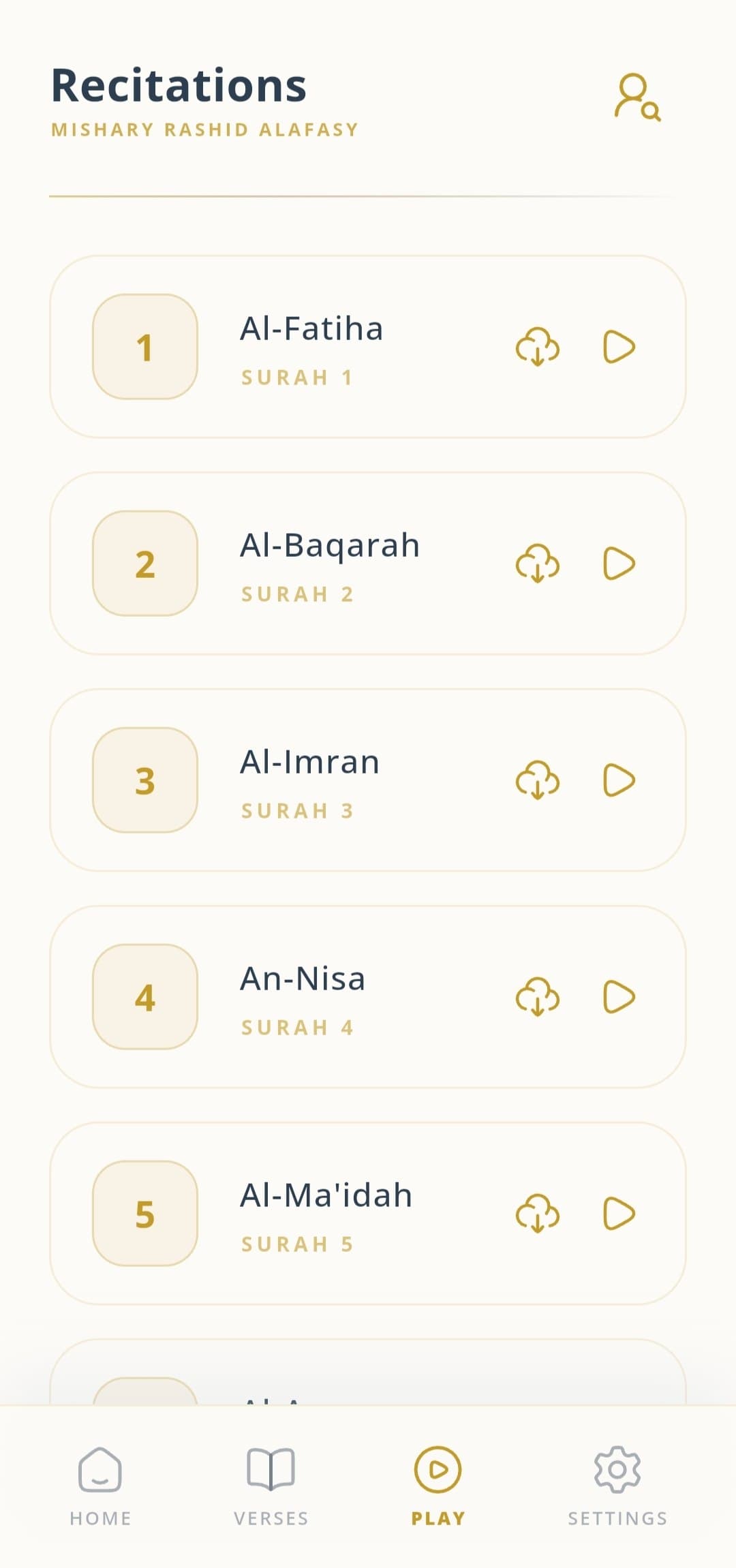
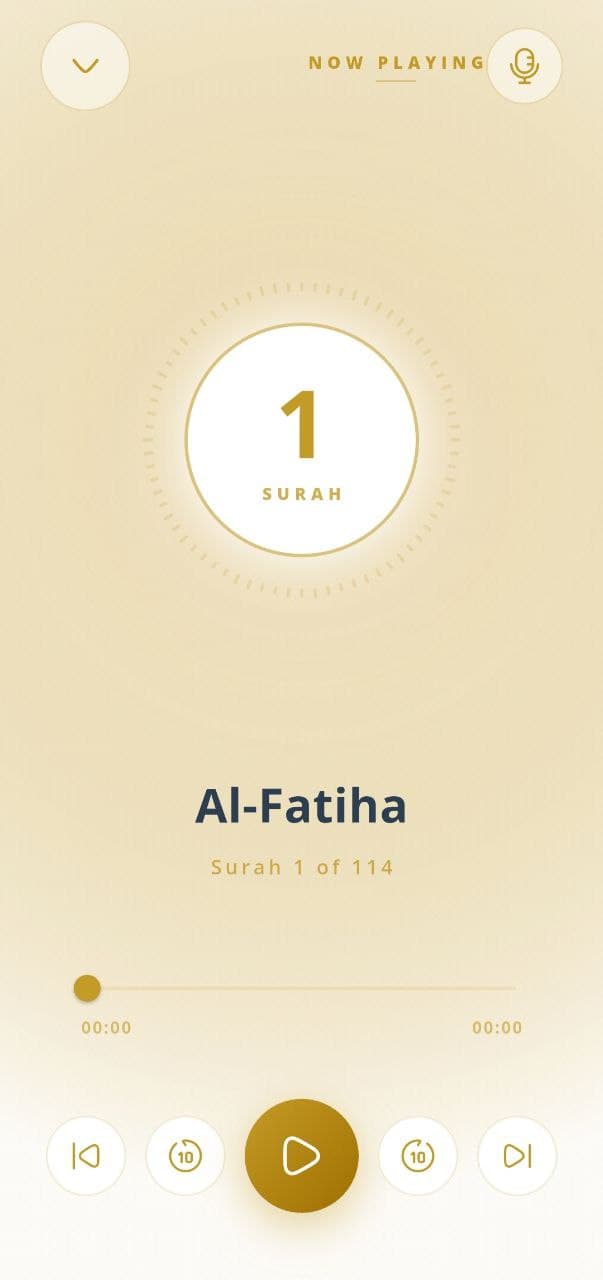
For users who want to listen rather than read, the built-in audio player offers Quranic recitations with standard playback controls. The player supports background playback, so recitations continue while the phone is in use or the screen is locked.
Features
Quranly is built around the idea that the Quran should be easy to encounter throughout the day, not just during dedicated reading sessions. The core features serve that goal directly.
Read Ayahs on Home Screen
Add beautiful widgets to your home screen and read random or specific verses throughout your day.
Integrated Audio Player
Listen to beautiful recitations of the Quran directly from the app with full playback controls.
Customizable Widgets
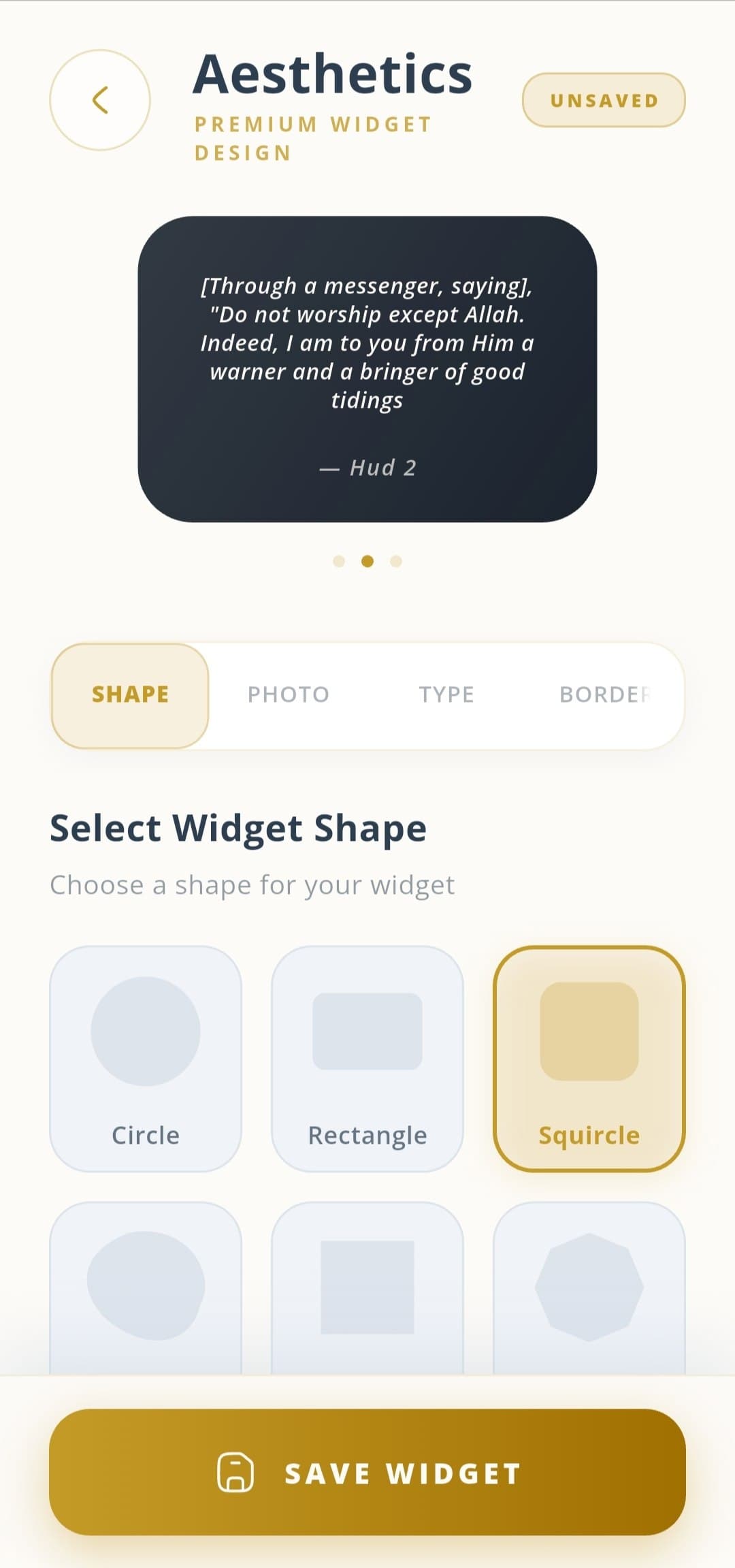
Personalize your widgets with different themes, sizes, and fonts to match your device's aesthetic.
Translations Included
Read the meanings of verses in various languages to deepen your understanding of the Quran.
Common Use Cases
Daily verse reminders
Place a widget on the home screen to encounter a new Quran verse throughout the day, creating a habit of reflection without requiring deliberate effort.
Morning and evening routines
Start or end the day with a recitation session using the audio player, building a consistent spiritual practice that fits naturally into an existing routine.
Reading with translation
Non-Arabic speakers can read verses alongside their preferred translation to understand meaning, not just recognize words.
Listening during commutes
Use background audio playback to listen to recitations during travel, exercise, or quiet tasks without needing to keep the screen on.
Screenshots
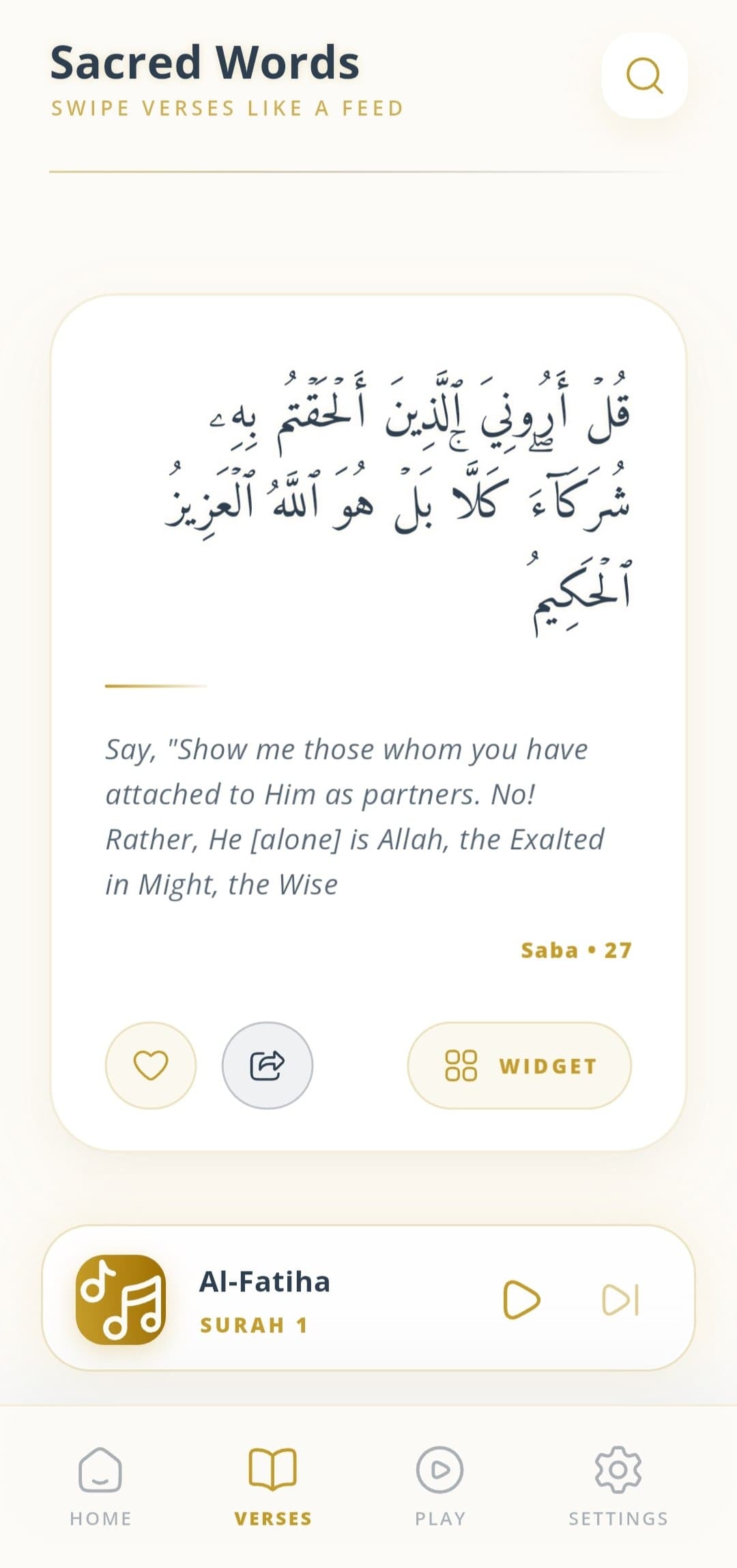
These screenshots show the current Quranly experience: the home screen, recitation reader, audio player, widget display, and word by word meaning view.
FAQ
What is Quran Widget & Audio?
It is an Islamic app that helps Muslims stay connected to the Quran by placing verses directly on the home screen via widgets, alongside a built-in audio recitation feature.
How do I add a Quran widget to my home screen?
Long-press an empty space on your home screen, tap 'Widgets', scroll down to find the Quranly app, and drag your preferred widget to the screen.
Can I listen to audio in the background?
Yes, the built-in audio player allows you to listen to Quranic recitations even while using other apps or when your screen is locked.
Are translations available?
Yes, the app provides multiple translation options so you can read and understand the verses in your preferred language.
Does the widget update automatically?
Yes. The widget can be configured to display a new verse at a set interval, keeping your home screen fresh with meaningful reminders throughout the day.
Where can I download Quranly?
Quranly is available on Google Play at https://play.google.com/store/apps/details?id=com.quranly.widget.
Download
Get Quranly on Google Play
Use Quranly to keep the Quran present on your home screen, listen to beautiful recitations, and deepen your understanding with translations throughout the day.